
IPTV Free Trial vs Paid Subscription: 8 Checks Before Buying
An IPTV free trial and a paid subscription are not automatically the same offer. Before you move from a trial to checkout, match the exact plan, channels or titles you need, device, connection allowance and renewal terms. A successful demonstration is useful evidence about that session; it is not a promise about every programme or the next twelve months.
Commercial disclosure: Our publishing group operates services linked on this site and benefits from subscriptions. This is a buying checklist, not a report of independent provider testing.
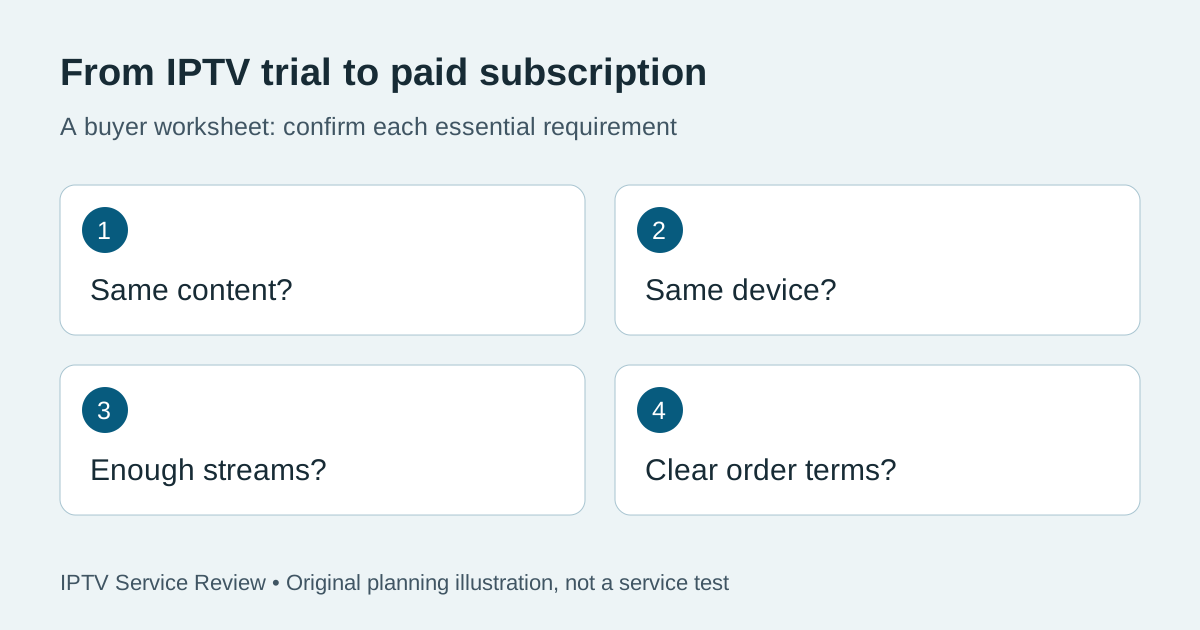
What should match between the trial and the paid plan?
Write down the paid product you intend to buy before asking for a trial. Otherwise it is easy to test one account and order another with a different duration or stream allowance. Keep the product name and the provider's written explanation together. If a difference matters to your household, ask about it while you still have the option to postpone payment.
| Check | Record during the trial | Confirm before paying |
|---|---|---|
| Content access | The specific channel, programme or title tested | Whether that access is included in your selected plan and territory |
| Device and player | Device model, app and sign-in method | Whether the same setup is supported, including separate app charges |
| Connections | How many streams you were permitted to use together | The paid simultaneous-stream and location rules |
| Account term | Trial expiry and any restricted features | Paid activation, duration and renewal process |
| Order total | Any trial payment or authorisation requested | Currency, full amount due, extras and future charges |
1. Match the channels and features you actually need
Do not compare a large advertised channel count with a short list of working channels. Choose the programmes you would miss if they were absent: perhaps one news channel, a particular sports event and a show watched by someone else in the house. Ask whether those exact items belong to the paid offer. Names, schedules and availability can change, so keep the date of the answer.
Check live viewing, the programme guide, catch-up and on-demand playback separately. Seeing a live channel does not establish that catch-up is available for it. A library listing does not prove every episode plays. Ask for clarification rather than treating an icon or a category label as evidence of entitlement.
2. Use the device you will keep using
A trial on a phone does not settle how the service works on your TV. Sign in on the intended device, check the remote controls and reopen the player after closing it. Record the device model and app version if you can find them through the normal menus. Avoid sharing account passwords or screenshots containing the full sign-in details.
Our IPTV player compatibility checklist covers the app and account questions in more detail. Ask whether the paid plan uses the same login format. Any player licence is a separate question from the service subscription unless the order explicitly includes it.
3. Confirm the connection allowance, not the number of installations
Installing a player on two televisions is different from permission to watch two independent streams at once. Ask how many simultaneous streams the selected product allows, whether another location is permitted and whether the trial has the same limits. Do not test beyond the provider's stated allowance merely to find the limit.
If the household needs two different programmes at the same time, say that directly. Ask for the matching product name or order link. A vague answer such as “works on all devices” does not answer the simultaneous-viewing question.
4. Compare like-for-like viewing sessions
Use the hours when you normally watch, on the connection you plan to use. Note the date, content, device and any playback interruption you observe. This creates a small personal record rather than a claim about the whole service. A brief daytime session cannot establish evening performance, and a problem on one channel does not identify its cause without further checks.
If something fails, tell support what happened and keep the response. Ask whether it is a known content issue, a supported-player problem or a restriction of the trial. Recheck a corrected issue during the trial if time and permission allow; do not assume buying a longer plan will fix it.
5. Ask whether payment extends the trial account
Some order processes may activate a new account; others may extend an existing one. Ask which process applies before ordering. Find out when the paid period starts, how confirmation arrives and which account should be used afterward. This is especially useful if your trial expires before support processes the order.
Keep the order reference and the provider's confirmation. You should not need to publish your username, password or full payment details to resolve an activation question. If you are unsure who handles the account, our provider-versus-reseller guide explains the support-chain questions to ask.
6. Read the full payment and renewal terms
Look at the final order summary, not just a monthly-equivalent headline. Confirm the term, currency, amount due today, optional extras and any recurring payment authorisation. Ask how to stop future billing and where the applicable cancellation or refund terms are recorded. A trial does not create a universal refund right for a later purchase.
The FTC's trial and subscription guidance explains why buyers should check conditions and future charges. Apply that general advice to the actual terms shown for your order; do not infer them from the word “free.”
7. Send one clear question before upgrading
“I tried [account reference] on [device/app]. I need [specific content] and [number] simultaneous streams at [permitted location]. Does [paid product] include the same access? Please confirm the activation date, total payment and renewal process before I order.”
Replace the brackets with your requirements and send it through the provider's official support channel. An answer is most useful when it identifies the product and addresses the missing details. Do not mistake a quick reply for proof that every requirement has been accepted.
8. Choose the next step from the answers
Buy only when the selected offer matches the requirements you can verify. If the device or a must-have feature is unresolved, ask first. A shorter commitment may limit the upfront payment, but it does not remove uncertainty about an unconfirmed feature. If the offer cannot meet an essential requirement, keep comparing.
If you are considering TereaTV, check the current TereaTV trial request. Already satisfied with the checks? Review the one-connection monthly order and confirm its live price and terms. These commercial links do not establish that a particular channel or event is included.
Trial-to-subscription questions
Does an IPTV trial include everything in the paid plan?
Not necessarily. Ask which content, features, stream allowance and restrictions differ, and match the answer to the exact paid product.
Will the same login work after I pay?
That depends on the provider's activation process. Ask whether the order extends your trial account or creates a new one, and when the paid term begins.
Does a successful trial guarantee future streaming quality?
No. It records how the tested content performed on that setup at that time. It cannot guarantee future availability, every channel or every viewing period.
Should I buy an annual plan straight after a trial?
Compare the upfront payment, confirmed requirements, renewal and cancellation terms before choosing the duration. A lower monthly equivalent does not remove the risk of paying more in advance.