
IPTV Not Working: Account Problem or Player App Problem?
If IPTV stops working, first identify what has failed: the player itself, the viewing login, the account entitlement or playback after login. Paying for another subscription before separating those layers can leave you with the same problem and a second bill. This guide gives you a practical decision path and a useful support report without sharing your password.
Commercial disclosure: this publisher promotes related streaming services. The steps below are a diagnostic framework, not a report of hands-on provider testing or a guarantee of service availability.
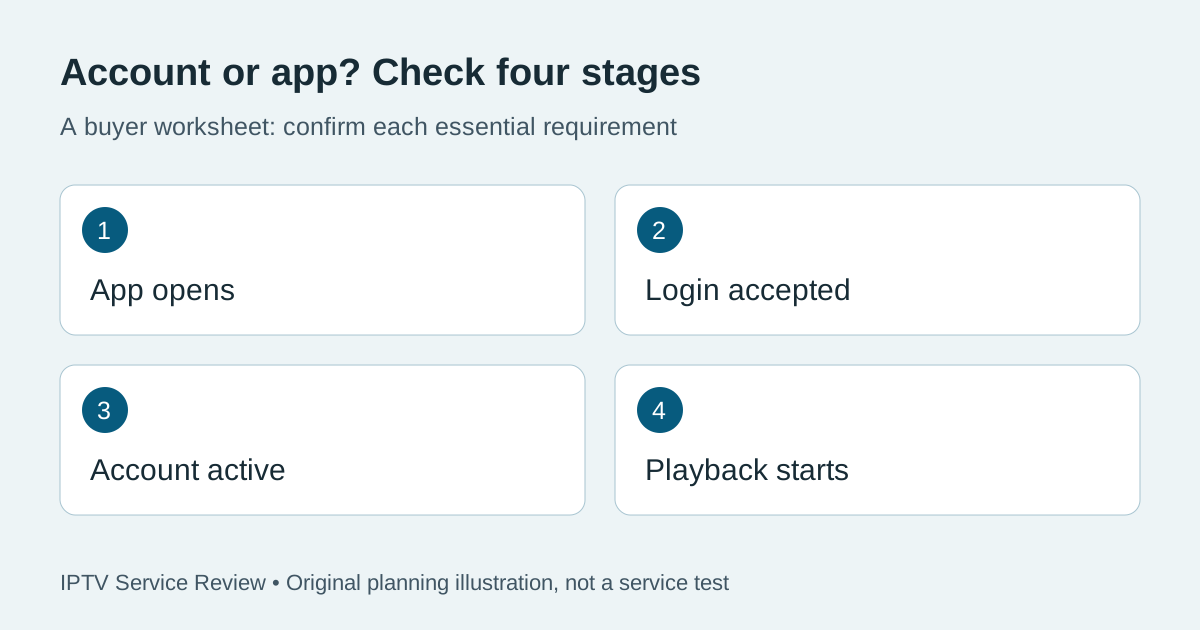
Start with the exact point where it stops
Write down the device model, app name and version, the message on screen and the time the problem began. “It does not work” is difficult to investigate. “The player opens on my TV, accepts the viewing login, then returns an error when I start playback” identifies a much narrower problem. Record whether the fault began after an update, a renewal or a change of device.
Keep the original settings until you know how to restore them. A billing receipt, player activation and viewing subscription can refer to different things. An active app licence is not proof that a viewing account is active; a paid viewing subscription does not establish that a third-party app licence is valid.
Use a four-stage account versus app check
| What happens? | Check next | What it does not prove |
|---|---|---|
| App closes before showing its login screen | Device software, player version and developer troubleshooting | That the viewing subscription expired |
| App opens but rejects the login | Correct login method and current credentials through official support | That a new paid account is required |
| Login works but content is unavailable | Account status, permitted connections and the specific error | That the app or every service is broken |
| Playback starts but stops or buffers | Connection, device behaviour and whether the issue affects one item or many | That changing providers alone will fix it |
If the app fails before login, avoid account changes first
Check the device manufacturer's instructions for the exact model. For TCL Google TV, the manufacturer's app troubleshooting guide covers checking connectivity, restarting, force stopping an app and clearing cache. It also warns that clearing app data can sign you out or reset settings. Those instructions apply to that platform; do not assume the same menus exist on every television.
Before an action that removes local data, confirm that you can recover the official app and viewing login. Do not install an unfamiliar replacement just because it uses a similar icon. Our player update checklist explains what to record about an app release before changing it. Repeated reinstalling without recording the original error usually gives support less information, not more.
If login fails, confirm which account the form wants
A store account, billing account and viewing account may have separate credentials. Use the provider's current instructions to identify the correct form and server address. Copy carefully without adding spaces, and check whether a saved entry belongs to an older account. Do not guess alternative server addresses or publish a full playlist URL: it may contain access credentials.
Ask the seller to confirm whether the viewing account has been activated and which app login method it supports. Ask the player developer about the player's activation only. Our compatibility guide separates device support from account support before purchase. If you are considering our promoted service, TereaTV provides its current sales and setup information; this link is not a diagnosis of your existing account.
If login succeeds, check entitlement before buying again
Record whether the problem affects the entire account or a particular item. Confirm the current subscription term, the permitted number of simultaneous connections and any restrictions with the provider. Stop other streams for a controlled check if your plan requires it. Do not treat a successful login as proof that every requested programme is included or available in your location.
Renewal is a commercial decision, not a universal repair step. Ask for a specific explanation of what a payment would change before making it. The trial versus paid subscription guide helps distinguish an entitlement change from an unrelated app issue. If the service confirms an incident, retain the support reference and expected next update instead of repeatedly changing device settings.
Send a support report that can be acted on
Use the service's verified private support route. Send the device model, app version, timestamp and time zone, exact error wording, the stage that fails and the checks already completed. State whether another permitted device behaves differently, if you have one available. Do not buy another device merely to perform this comparison.
A useful message is: “My player opens and accepts the login, but playback fails. This began after renewal. The error appears on these two items at this time. Please confirm account status and the next safe check.” Remove passwords, full playlist links and personal billing details from screenshots. Keep a private copy of the reply so you can judge whether the proposed remedy actually addresses the reported fault.
Frequently asked questions
Does a working billing login mean my IPTV login should work?
No. Billing and viewing access may use different credentials. Confirm the required viewing method with the provider rather than reusing a password in every form.
Should I clear app data immediately?
First record the error and confirm recovery details. Clearing data can remove settings or sign you out; follow instructions for the exact device and app.
Will another subscription fix a player that crashes?
Not necessarily. A crash before login can involve the player or device. Diagnose that stage before making a new purchase.
Can a successful trial rule out future account problems?
No. It demonstrates only what happened during that test. Account terms, app changes and later service incidents still need separate attention.
Once your setup requirements are clear, read our TereaTV information page and check current trial options. Confirm eligibility and device support before ordering; a trial is not required to diagnose a subscription you already own.